Download and install the CockroachDB software. Install the man pages for easy reference.
Tip:
Now that you have a working virtual machine you may want to re-open this guide in the machine's browser (FireFox comes pre-installed). It will make copying and pasting commands much easier.
Download the CockroachDB pre-built Binary
WindowsMacLinux
Log into your virtual machine as the osboxes user (password is osboxes.org).
Important:
The pre-built binary version will probably be different to the one used in the instructions below. Adjust the filename accordingly.
-
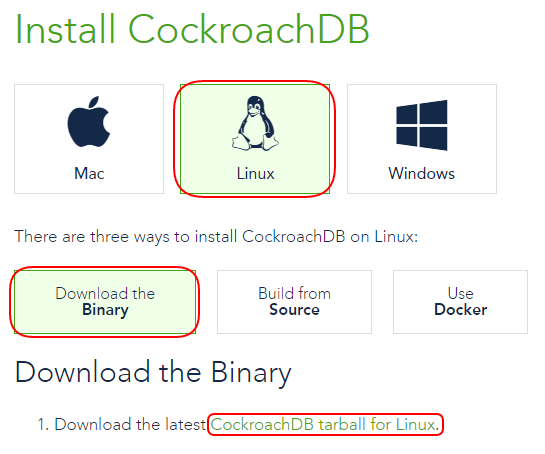
Open the FireFox web browser on your virtual machine desktop and go to the Install CockroachDB https://www.cockroachlabs.com/docs/install-cockroachdb.html page, select Linux and Download the Binary. Click the CockroachDB tarball for Linux link and save the .tgz file into the home directory of the osboxes user.
-
Open a terminal and extract the binary. This will create a directory called cockroach-<version>.linux-amd64. The cockroach executable will be extracted into this directory.
osboxes@osboxes:~$ tar -xvf cockroach-beta-20160330.linux-amd64.tgz
cockroach-beta-20160330.linux-amd64/
cockroach-beta-20160330.linux-amd64/cockroach
osboxes@osboxes:~$
osboxes@osboxes:~$ ls -l cockroach-beta-20160330.linux-amd64
total 36928
-rwxr-xr-x 1 osboxes osboxes 37811096 Mar 30 16:09 cockroach
osboxes@osboxes:~$
-
Copy the cockroach binary into the /usr/local/bin directory. This makes it easier to run cockroach as /usr/local/bin is already in the PATH. The password for the osboxes user is osboxes.org.
osboxes@osboxes:~$ sudo cp ./cockroach-beta-20160330.linux-amd64/cockroach /usr/local/bin/
[sudo] password for osboxes:
osboxes@osboxes:~$
-
Check the cockroach executable is ok. Execute the cockroach version command to check its version.
osboxes@osboxes:~$ cockroach version
Build Tag:   beta-20160414
Build Time:  2016/04/14 15:15:52
Platform:    linux amd64
Go Version:  go1.6
C Compiler:  gcc 4.9.2
osboxes@osboxes:~$
Linux Man Pages
CockroachDB comes with a command to generate man pages for the database. These can be generated and installed into the /usr/local/share/man/man1/ directory.
-
Execute the command sudo su - -c "cd /usr/local/share; cockroach gen man" to generate the man pages. You can refer to them using the man cockroach command.
osboxes@osboxes:~$ sudo su - -c "cd /usr/local/share; cockroach gen man"
Generated CockroachDB man pages in man/man1/
osboxes@osboxes:~$
Refer to the SEE ALSO section in this man page for other available commands.
What’s Next
Now we can start the database instances in the Startup and Logging section.